
Introducing Geo-Fencing: Smarter Attendance Tracking for Off-Duty Assignments
Agencies have long used PowerDetails’ Time Clock to gain clear, real-time visibility into off-duty time and attendance.
Administrators and coordinators get a clear picture of who’s working, when they arrived, and when they left—all without the hassles of manual time-tracking. And officers have an easy, low-friction way to ensure they’re credited for the off-duty hours they’ve worked.
Time Clock is an essential part of how agencies nationwide track their off-duty assignments.
Now, that process is more precise than ever.
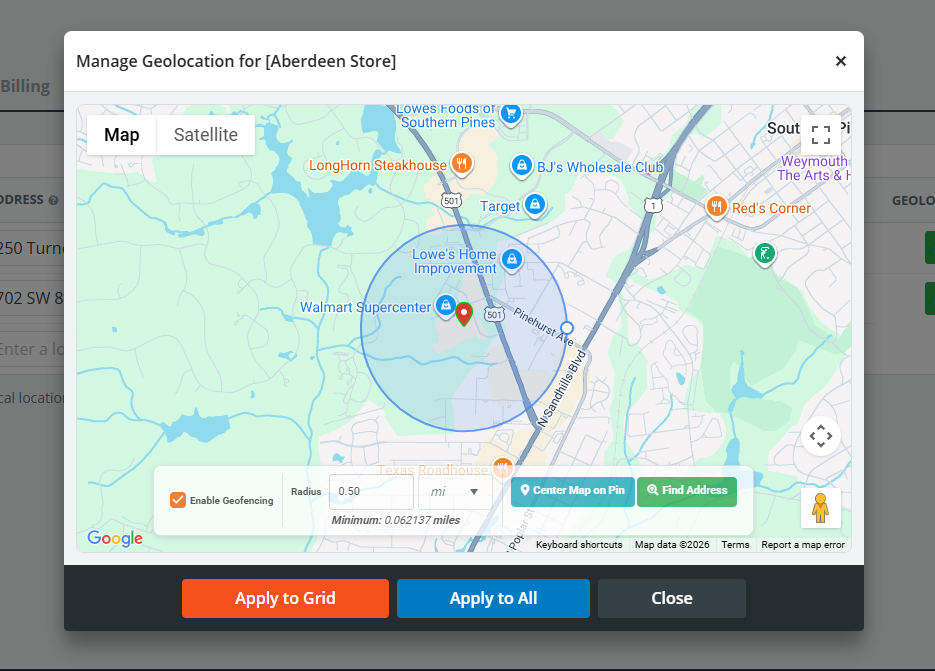
With Geo-Fencing, agencies can improve attendance accuracy without changing how officers clock in and out. Using the PowerDetails mobile app, officers can receive automatic enter and exit alerts based on defined job locations.
For agencies, Geo-Fencing eliminates any uncertainties around location verification.
For officers, it provides confidence that their time and location are accurately captured with every shift.
The result? Faster approvals and fewer attendance questions from start to finish.
How PowerDetails Geo-Fencing Works
When Geo-Fencing is enabled, PowerDetails creates a virtual radius around an off-duty job location. This perimeter is fully customizable based on the type of job or address: smaller events can have a radius as small as 100 meters, while the default radius is 1/2 mile.
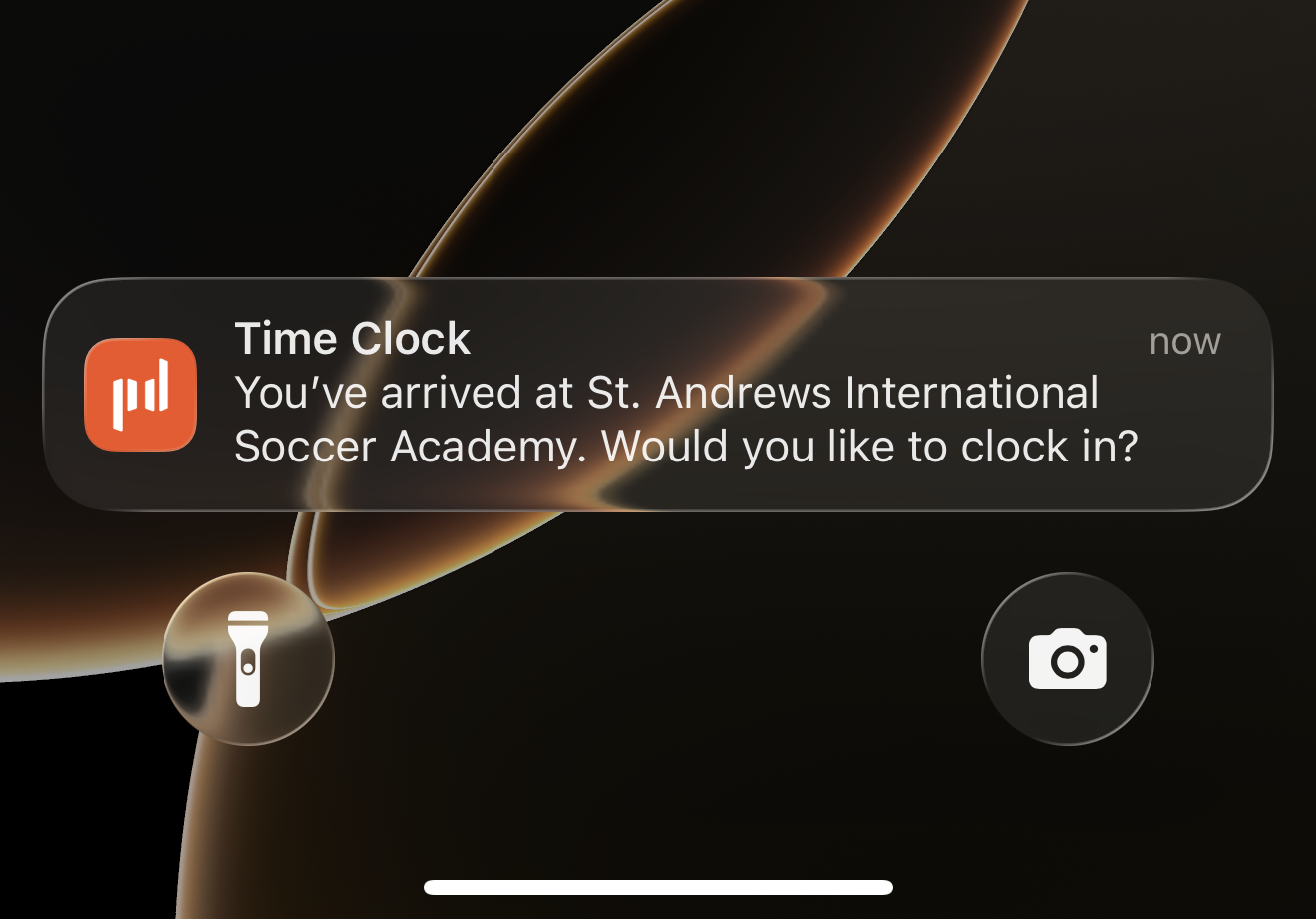
When officers enter the radius, they receive a push notification from the PowerDetails mobile app asking if they’d like to clock in. When officers exit the designated area, they’ll receive a similar push notification asking if they’d like to clock out of the assignment.
As an example, let’s say an officer is working at a sports event where you’ve configured a quarter-mile geo-fence. When the officer enters that radius, the officer’s phone receives a PowerDetails notification to clock in.
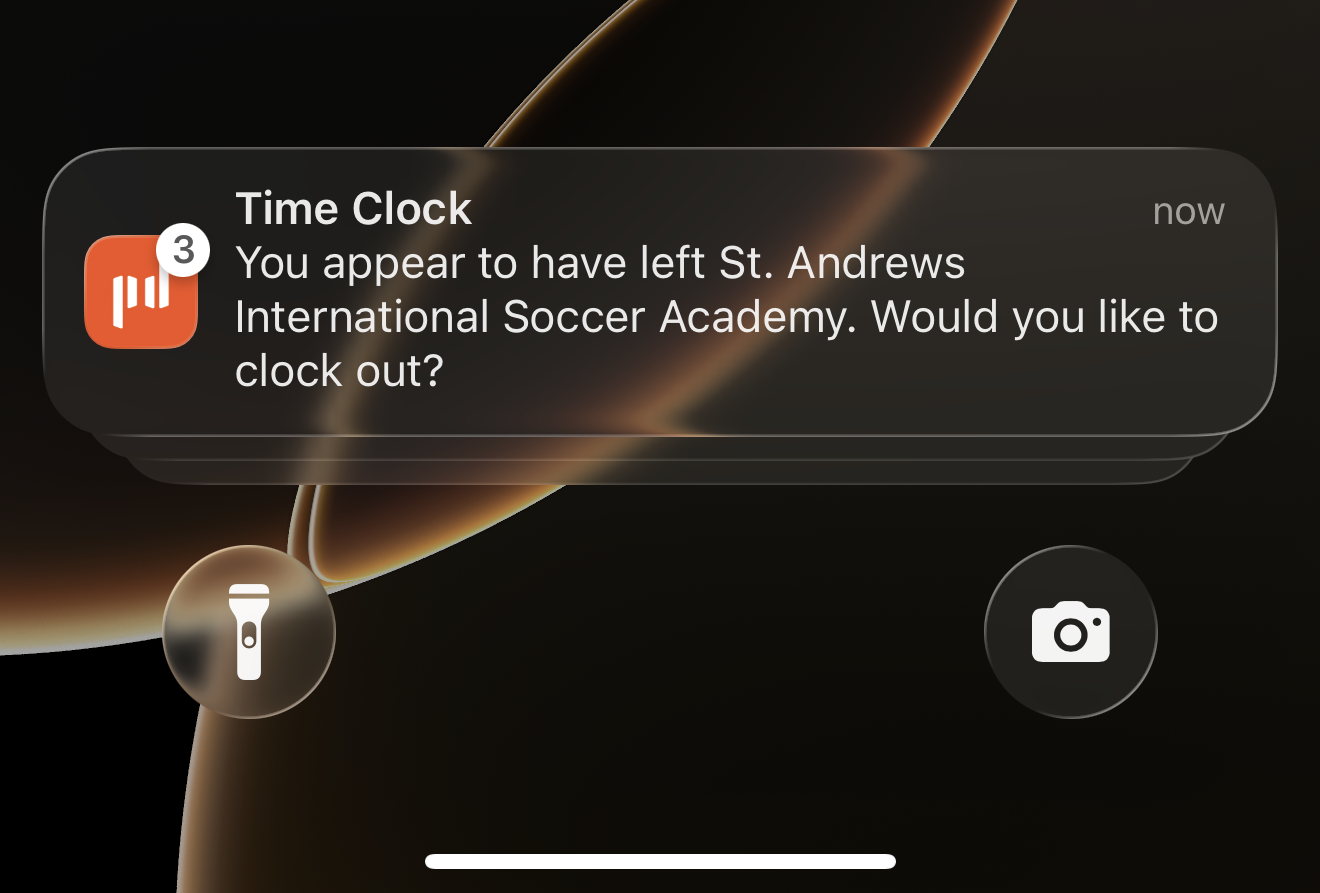
When the event ends, and the officer drives outside the geo-fence, the officer’s phone receives a notification from the PowerDetails app to clock out. After a quick tap, the officer can clock out in the app and mark the job completed.
The advantage: officers familiar with PowerDetails’ Time Clock system can use the same process they already know. Agencies that already rely on Time Clock now benefit from an additional layer of attendance verification.
With Time Clock and Geo-Fencing together, agencies, officers, and command staff have a confident record of on-site attendance for reporting and record-keeping.
How Geo-Fencing Can Help Your Agency
Agencies leveraging the power of geo-fencing can expect:
Improved attendance verification
Fine-tuned time reporting and billing
Simplified officer experience
Useful location-based data and reporting
With Geo-Fencing enabled, agencies get location- and time-based insights that makes it easier to confirm attendance, streamline billing, and strengthen location verification.
What to Know About Geo-Fencing
Geo-Fencing is available to Enterprise customers exclusively through the PowerDetails mobile app. Officers can still use Time Clock through the web, but Geo-Fencing perimeters are only trackable through the app.
Agencies have complete control over geo-fencing: they can be set to specific locations with specific employers, or applied to multiple locations at once. The flexibility and safeguards you rely on with Time Clock all remain unchanged when Geo-Fencing is enabled.
Ready to Level Up Your Attendance Tracking?
Geo-Fencing enhances the Time Clock feature your agency relies on for real‑time visibility into off-duty attendance. The clock-in process stays the same while attendance verification becomes more precise.
Agencies looking for more accurate attendance tracking can combine the power of Time Clock and Geo-Fencing to gain greater confidence in every off-duty assignment. If you’re ready to improve attendance verification and further streamline your off-duty program, we can help.
Contact PowerDetails today to learn how to enable Geo-Fencing for your agency, or schedule a quick demo to see it in action.
